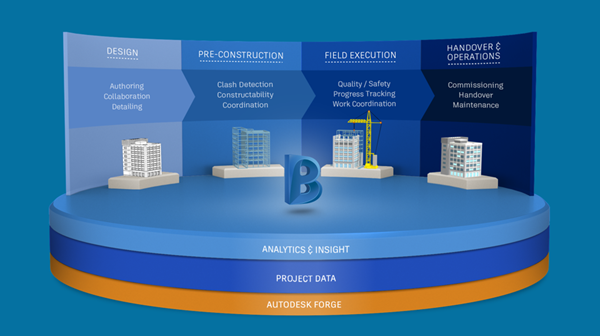
The Autodesk BIM 360 suite of cloud-based products has been around for a while now and as the next generation of applications take hold they bring some increasingly sophisticated workflows which can be leveraged at site level to perform some previously unimaginable tasks.
Comparing new versions of models to old, digitally tracking and closing out snagging and defects, even just having the 3D model available for all to use is a leap forward for many.
There is a feature of BIM 360 Build, albeit not as “whizzy” as some, that has some serious game changing potential and is probably currently not turning heads as much as it should.
Checklists are not a new concept in the various digital site management software packages available today. Indeed, the very first iterations of what is now known as “Classic BIM 360 Field” had them.
In essence, checklists are predefined, routine workflows like quality inspections, plant inspections or Health & Safety inspections. They are the sort of standard checking and inspecting that form the basis of a company’s quality management system.
Whilst digitalising these workflows brings some obvious benefits like reporting against conformance or managing the issues raised during inspections centrally, there is still one problem that is just as significant in the digital world as it was when paper based. Control.
Quality systems are, by their ever changing nature, difficult to control and enforce. Whether your processes are paper based forms, or created and stored digitally, how do you ensure that your engineers and construction manager out on site are actually using the latest versions of your forms? What’s stopping them from picking up an outdated form or modifying the one they have as they believe it doesn’t quite suit their needs?
As companies grow this can become a serious problem. Dedicated staff can spend significant amounts of time and money ensuring compliance and adherence to their systems. Additionally, there is then the need to meet external compliance audits to ensure ongoing accreditations remain intact. In short a potentially costly side of the construction business.
So, this is where the account level checklists within BIM 360 Build come into their own and present a genuinely powerful proposition in QA management.
You have the potential to create a centrally controlled library of checklists, available for deployment on any project you set up. They can’t be changed by users, but there is still the flexibility to create project level checklists should there be some site specific needs to meet.
But most importantly of all, as you update your library of checklist templates you now have the ability to push the changes to any of your projects that are currently using a previous version. One click and every site has access to the updated version, is compliant with your quality management system and now unable to use an outdated form even if they wanted to.

Gone are the worries of people printing a form and then just producing copies of the printout for years to come. Audits should no longer involve hours of trawling through file after file of paper-based records.
Instead, with some effort invested to move to a digital system, one click will give QA staff the surety that all their projects are in good shape and that changes to internal procedures have been adopted across the board.
A powerful feature which can save both time and money allowing staff to concentrate on improving quality and compliance rather than simply passing audits.
You can find more information on BIM 360 Build here: https://www.excitech.co.uk/BIM-360-Build